
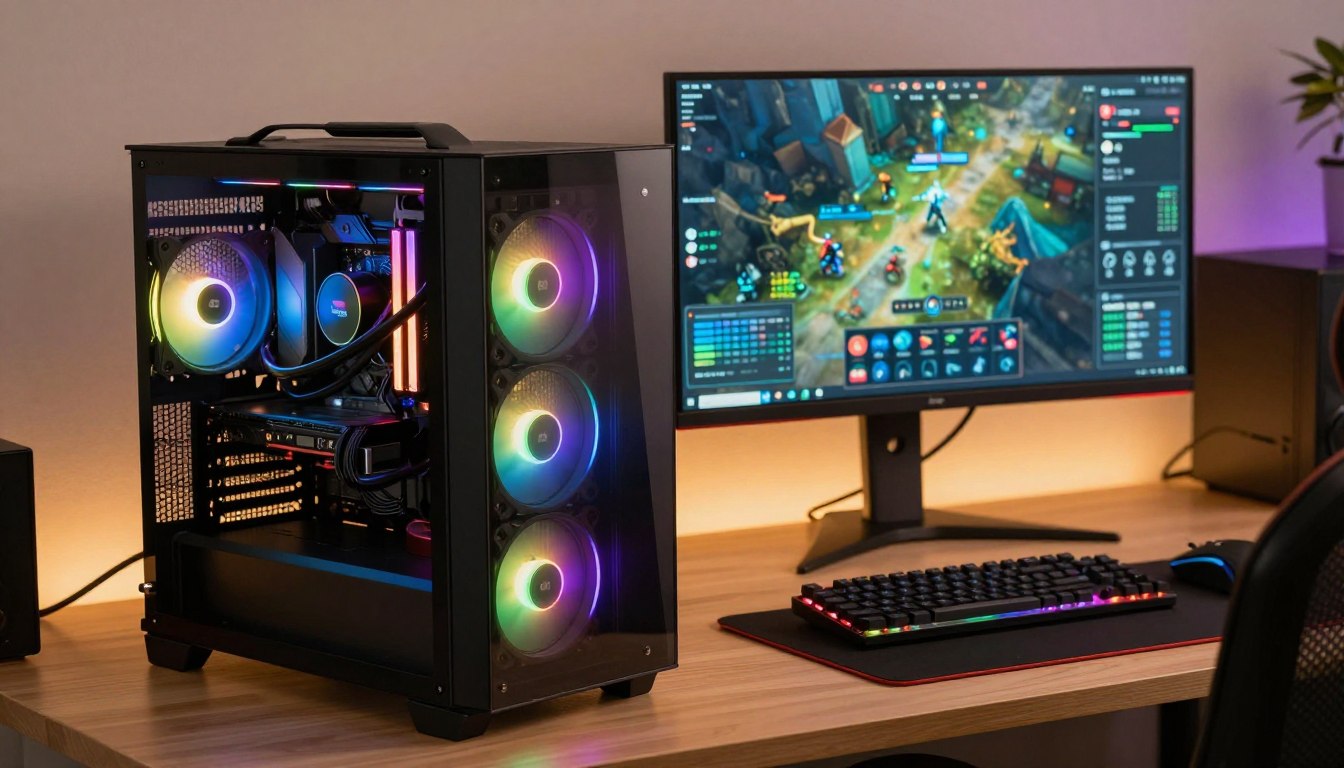

What Is The Best Specs for a Gaming PC? A Complete Guide
A good gaming PC pairs its graphics card with a processor and memory that suit the games and display you actually use. Your budget should support a smooth, playable experience, not just the highest settings. Frame rate (FPS) is the number of images a computer renders each second. Your CPU, GPU, RAM, storage, power supply unit (PSU), and cooling all work together to deliver it.
A monitor’s refresh rate affects how many frames you can see. A 60 Hz monitor is acceptable for casual play, 120 Hz offers strong performance for many players, and 144 Hz suits competitive gaming. The right parts depend on what you play, how you play, and how long you plan to keep the system. Start by noting your monitor’s resolution and refresh rate, then choose parts to match them.
Key Takeaways
- Match the graphics card to your monitor’s resolution.
- Choose a CPU that keeps pace with your graphics card.
- Use 16GB RAM as a basic gaming target.
- Consider 32GB RAM for streaming and multitasking.
- Check compatibility and current prices before buying parts.
What Is the Best Specs for a Gaming PC?
For a typical 1080p setup, a recent six-core CPU, an RTX 5060 or RX 9060 XT, and 16GB of RAM are a practical starting point. This balanced mix suits many games without paying for hardware your screen cannot show. Start with your target, then choose components that can reach it.
For 1080p, you may not need a high-end CPU or graphics card; 1440p and 4K usually call for stronger components. Fortnite’s 2026 minimum requirements include a Core i3-3225 at 3.3 GHz, 8GB RAM, and Intel HD 4000 or Radeon Vega 8. Its recommended requirements include 16GB or more RAM, an NVMe SSD, and a GTX 960 or R9 280 graphics card. Those are game-specific baselines, not a promise of high settings.
Match the CPU, graphics card, and RAM to your resolution and frame-rate target. A more expensive tier only helps when your games and display can use it.
Use this comparison to pick a sensible tier for your screen and play style. The CPU recommendations support the listed graphics card, while RAM provides room for the game and everyday background tasks.
| Target | CPU | Graphics card | RAM |
|---|---|---|---|
| Casual 1080p | Recent six-core processor | RTX 5060 or RX 9060 XT | 16GB |
| Competitive 1080p | Ryzen X3D or recent fast six-core processor | RX 9060 XT to RTX 5070 | 16GB to 32GB |
| Epic 1440p | Recent gaming processor | RTX 5070 or RX 9070 XT | 32GB |
| 4K or maximum ray tracing | Recent higher-performance processor | RTX 5070 Ti, RTX 5080, or RX 9070 XT | 32GB |
For 2026, the Fortnite PC recommendations also distinguish casual 1080p play from competitive 240 Hz gaming. A Ryzen X3D or fast six-core CPU can suit the latter, paired with a faster graphics card. “Average specs” are a starting point, not a performance guarantee, because game settings and resolution change the workload.
Best specs for a gaming PC in 2025 depend on the actual parts and games, not the year you bought them. The same rule applies when comparing good specs for a gaming PC in 2026. Choose the row closest to your monitor and play style, rather than paying for a tier you will not use.
How Much CPU Do You Need for Gaming?
For gaming as the main job, eight CPU cores are sufficient, and adding more often brings diminishing returns. Performance scaling falls off past eight cores when gaming is the main task. A higher clock speed can help a processor finish individual tasks quickly, but cores and threads are only part of the picture. More is not automatically better for gaming.
Tom’s Hardware tested processors across 17 demanding games in its 2026 CPU gaming benchmark suite. Its findings support choosing a CPU that fits your graphics card and target frame rate. Extra cores can still matter if you also render video, build 3D scenes, or run other multithreaded work while gaming.
How Many CPU Cores Matter for Games?
Eight cores give a gaming-focused system enough CPU resources for modern games and common background tasks. A six-core processor can also suit many gaming builds, especially when you want to leave more budget for the graphics card. Check the full processor, including its clock speed, rather than judging it by core count alone.
Rendering and similar workstation tasks can keep many cores busy at once. Gaming often gains less from those extra cores, so a processor with a very high core count may not improve your experience. If you stream from the same PC, software and game settings affect how much CPU headroom you need.
Which CPUs Fit Different Budgets?
Tom’s Hardware lists the Ryzen 5 7600X as its 2026 budget gaming CPU pick in the $100 to $150 tier. Its mid-range pick in the $200 to $300 tier is the Core Ultra 5 250K Plus. Those price bands help compare processors at similar spending levels.
In the $300 to $400 range, Tom’s Hardware recommends the Ryzen 7 9800X3D as its overall gaming CPU pick. Its testing puts the Ryzen 7 9850X3D about 3% ahead on average, but at a much higher price. The small average gain may not justify that extra cost for your build.
The Ryzen 5 8600G is a good integrated-graphics choice for a starter system without a separate graphics card. Compare processors at the price and gaming resolution you plan to use, not by core count alone.

Which Graphics Card Fits Your Resolution and Games?
The GPU has the largest influence on a game’s visual settings and frame rate, especially as resolution rises. Choose a graphics card for the resolution and visual effects you plan to use. A 1080p player may favor high frame rates, while 1440p or ray tracing puts more load on the card. Test conditions matter when you compare performance figures.
One Fortnite benchmark measured 78.8 FPS on an RTX 3060 and 94.9 FPS on an RTX 4060 at 1080p. Both results used the High preset, Lumen High, and DLSS/TSR Quality. An RTX 4070 measured 137.8 FPS under those same listed settings. These figures came from an April 2024 test cited in a 2026 guide, not a promise for every game.
How the Graphics Card Changes With Resolution
The 1440p results used a different, more demanding setup: Epic quality with ray tracing. An RTX 5060 Ti 16GB measured 78 FPS, while an RX 9070 XT measured 120 FPS under those listed conditions. Since resolution and settings differ, do not compare those results directly with the 1080p figures.
Performance varies by game, driver, and settings, so check results for the title you actually play. Fortnite also changed its graphics options: update 40.10 removed DirectX 11 in April 2026. Performance mode and DirectX 12 remain available.
Best PC Specs for Gaming Under 50,000
A budget written as “50,000” needs a currency clarified before you choose parts. The amount alone cannot identify which components fit, since currencies and local prices differ. Once the currency is clear, the graphics card usually deserves the largest share of a gaming build because it shapes visual settings and frame rate.
Market pricing can disrupt a planned tier. In October 2026, the RTX 5060 Ti 16GB was selling for almost double its $429 MSRP in the described market conditions. Check these three points before deciding:
- Match the GPU to your monitor’s resolution.
- Check VRAM against the settings you intend to use.
- Compare performance in your actual game and preset.
Check the price of the exact card you want before committing to a build, since market conditions can change the value calculation.
How Much RAM Do Gaming and Streaming Need?
For gaming alone, 16GB can be enough for Fortnite, but 32GB gives more room for streaming and open applications. For a single-PC gaming and streaming setup, 32GB is a sensible target. That capacity helps when recording or keeping chat, a browser, and other applications open. Gaming alone needs less than gaming plus several active tasks.
The 2026 Fortnite guide says 16GB can handle Fortnite by itself and 32GB helps with streaming, recording, or many open apps. Magic Micro calls 16GB the minimum worth having and recommends 32GB as a comfortable gaming-PC capacity. META PCs also recommends 16GB minimum and 32GB for a starter single-PC gaming-and-streaming setup with a six-core CPU.
For a full-time streaming tier targeting 1080p60 to 1440p streaming, META PCs recommends 32GB RAM and an eight-core CPU. Its pro-and-creator tier pairs 32GB to 64GB RAM with an eight- to 16-core X3D CPU. A 64GB kit is mainly for creator work such as video editing, 3D rendering, machine-learning training, or virtual machines, not gaming alone.
Streaming quality also depends on upload speed. A stable 1080p60 stream needs around 6 to 8 Mbps upload, while Twitch Enhanced Broadcasting calls for roughly 12 Mbps. A 1440p dual-format output needs 20 Mbps or more. RTX 40- and 50-series cards support AV1 encoding, which is roughly 40% more efficient than H.264 at the same bitrate or image quality.
For most gaming PCs, a matched 2×16GB DDR5-6000 kit is a practical choice. Install both modules in dual-channel mode, then enable XMP or EXPO in BIOS. Testing cited in a 2026 guide found DDR5 improved average gaming FPS by 1-3% over well-tuned DDR4 in most tested games. That small average gain does not mean every game improves by the same amount.
Check that memory is installed as a matched pair and that its supported profile is enabled in BIOS.
Which SSD and Supporting Parts Should You Choose?
Put an SSD in the primary-drive role because it shortens boot and game-loading waits compared with a hard drive. An NVMe SSD is a practical choice for your main game drive. SSDs have no moving parts, and they can start a PC and load games faster than HDDs. Storage speed affects waiting, not the graphics quality a game can display.
Choose SSD capacity based on how many games you keep installed. A large library may need more room than a few regularly played titles. HDDs can add lower-cost bulk storage, and their spinning speed affects access time: 5400-rpm and 7200-rpm drives are common examples.
The motherboard connects the CPU, RAM, drives, and other parts. Its CPU socket must match the processor, and the board must support the memory you select. A motherboard heatsink may help manage heat around certain components, but its need depends on the specific board and build.
The PSU must provide enough wattage for the full system, with the right connectors for its parts. Your CPU and GPU determine much of that demand, so do not choose a unit by wattage alone. Cooling can use case fans, a CPU fan, liquid cooling, or a combination, depending on the parts and case.
Use these checks before ordering:
- Select an SSD as the primary game drive, with capacity suited to your library.
- Match the motherboard socket to the CPU and confirm RAM compatibility.
- Choose a PSU with enough wattage and connectors for the full system.
- Verify CPU cooler and case clearance, along with case airflow.
Check the motherboard, PSU, case, and cooler compatibility together before ordering parts.
How Should You Choose a Gaming PC for Your Budget?
A desktop is usually the easier choice to upgrade, while a gaming laptop makes sense when you need to play away from a desk. The specs still depend on your games and target resolution. A laptop combines the screen, keyboard, and computer in one system, but trades some portability and battery life for gaming hardware. Choose around your routine, not just a headline spec.
Desktops generally offer more room for cooling and upgrades. A laptop suits travel, shared spaces, or a setup without room for a tower. Either can run modern games, but the graphics card and screen resolution still shape the experience.
Gaming Desktop or Gaming Laptop?
A gaming laptop is convenient when you need one self-contained machine. Its battery life and cooling can limit long gaming sessions away from a power outlet. A desktop is easier to service or upgrade over time, though it needs a separate monitor and space.

What a Prebuilt Budget Buys
These listings show how much configurations and prices can vary. The first three prices are dated October 25, 2026; the other two were listed under $500.
| Listed configuration | CPU and GPU | RAM | Storage | Listed price |
|---|---|---|---|---|
| CyberPowerPC, October 25, 2026 | Ryzen 7 9800X3D, RTX 5070 Ti 16GB | 32GB DDR5 | 2TB PCIe NVMe Gen 4 SSD | $2,739 |
| CyberPowerPC, October 25, 2026 | Ryzen 7 8700F, RX 9060 XT 16GB | 32GB DDR5 | 2TB PCIe NVMe Gen 4 SSD | $1,769 |
| CyberPowerPC, October 25, 2026 | Core Ultra 5 250KF Plus, RTX 5060 Ti 8GB | 16GB DDR5 | 1TB PCIe NVMe Gen 4 SSD | $1,509 |
| abytespark AOV590 | Ryzen 5 5500, RX 590 8GB | 16GB DDR4 | 512GB NVMe SSD | Under $500 |
| HP Victus 15L | Ryzen 5 5600G, RX 6400 4GB | 8GB DDR4 | 512GB PCIe NVMe SSD | Under $500 |
A good gaming PC balances its graphics card with the CPU, memory, and target resolution. The Corsair Vengeance a7500 pairs a Ryzen 7 9800X3D with an RTX 5070 Ti, 32GB DDR5-6400, and a 1TB PCIe 5.0 SSD; it includes a two-year warranty. The Asus ROG G700 mid-range configuration combines a Core Ultra 7 265KF, RTX 5070, 32GB DDR5-4800, and a 2TB PCIe 4.0 SSD.
Compare the exact parts inside a prebuilt, not just its advertised price. A lower-cost configuration may have less RAM or storage than you expect.
The AOV590 configuration is described as running Fortnite at 1080p with 60+ FPS on medium settings. The HP Victus 15L listing has 8GB RAM, so compare the memory and storage included with any current listing. The CyberPowerPC configuration prices show how strongly a graphics card and other parts can shift a prebuilt’s cost.
Compare the exact configuration, warranty, upgrade options, and current price before buying a prebuilt.
Conclusion
The best setup for you is the one that meets your gaming target without paying for performance you will not use. A well-matched CPU, graphics card, and RAM can make a better experience than an expensive part that your monitor or games cannot use.
Compatibility matters just as much as performance. A strong graphics card cannot help if the PSU lacks the right capacity or the case cannot fit the cooler. Write down your monitor resolution, refresh rate, and budget, then use them to check a complete, compatible build.
FAQ
What are the best specifications for a gaming PC?
A recent six-core CPU, an RTX 5060 or RX 9060 XT, and 16GB RAM make a balanced 1080p starting point. That combination suits many games without requiring high-end parts. For 1440p or 4K, choose a stronger graphics card to handle the added pixel load. Your target frame rate and preferred settings also affect which parts make sense.
Is 32 GB RAM overkill for gaming?
No, 32GB RAM is useful for gaming while streaming, recording, or keeping several applications open. You can play Fortnite by itself with 16GB, so 32GB is not required for every gaming PC. It gives a single-PC setup more room for multitasking. Creator tasks such as video editing or 3D rendering can benefit from still more memory.
Is a $2000 PC good for gaming?
Yes, a $2,000 PC can make a strong gaming system. Put the largest share of your budget toward a graphics card suited to your chosen resolution, then pair it with a capable CPU and enough memory. You do not need premium parts in every category. Compare complete configurations so a high-end processor does not leave too little for the GPU.
What is the no. 1 gaming PC?
The Corsair Vengeance a7500 was the overall gaming prebuilt pick in the 2026 material. Its listed configuration includes a Ryzen 7 9800X3D, RTX 5070 Ti, 32GB DDR5-6400 RAM, and a 1TB PCIe 5.0 SSD, plus a two-year warranty. It will not fit every budget or need. The right choice depends on your games and monitor.
Can a $500 PC run Fortnite?
Yes, the listed abytespark AOV590 configuration is described as running Fortnite at 1080p with 60+ FPS on medium settings. It pairs a Ryzen 5 5500 with an RX 590 8GB, 16GB DDR4, and a 512GB NVMe SSD. That is a specific configuration, not a guarantee for every PC priced under $500. Check the exact parts and condition.
Can a bad PC run Fortnite?
Yes, a low-end PC can run Fortnite if it meets the listed minimum: a Core i3-3225 at 3.3 GHz, 8GB RAM, and Intel HD 4000 or Radeon Vega 8 graphics. Meeting minimum requirements does not guarantee smooth play at high settings. Actual performance depends on hardware condition, resolution, and graphics settings. Older parts may also struggle with newer updates.
Is 700 dollars enough for a gaming PC?
Yes, $700 may cover an entry-level used system or a budget build, but a new prebuilt with a capable dedicated graphics card can cost more. Compare the actual CPU, GPU, RAM, and storage rather than relying on the price alone. For a used PC, check its condition and upgrade options. A system with integrated graphics may suit lighter games but limit demanding titles.
How much should a decent gaming PC cost?
Listings show a wide spread: two configurations were listed under $500, while CyberPowerPC configurations ranged from $1,509 to $2,739 on October 25, 2026. Those prices reflect different parts and market conditions, not one required spending level. A decent system can cost less or more depending on the games and resolution you target. Compare complete configurations, including RAM and storage.

 By
By

 By
By
 By
By